
Banner Template Vectors by Vecteezy
You deployed your API locally to start testing it, and all of a sudden you see “503 Service Unavailable” on your postman call 😯

Sigh…😔 now what. Well here is the solution😊
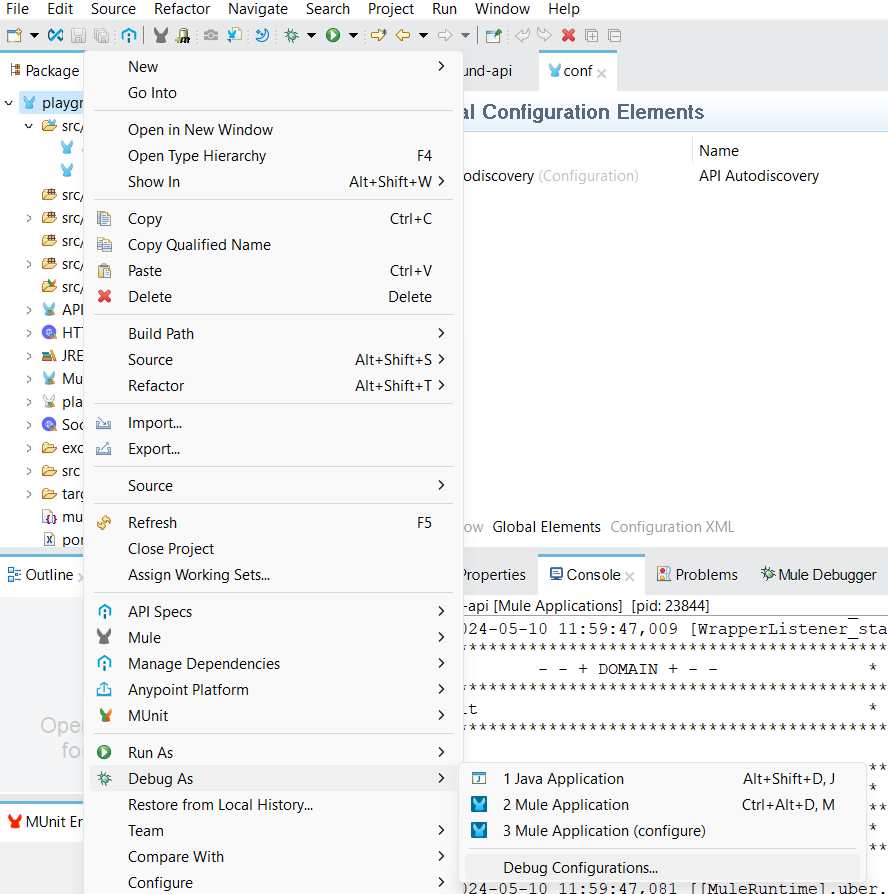
Right click your mule project and go to “Debug As” -> “Debug Configurations”
On your debug configuration click on the “Arguments” tab and under VM arguments add this line
-Danypoint.platform.gatekeeper=disabled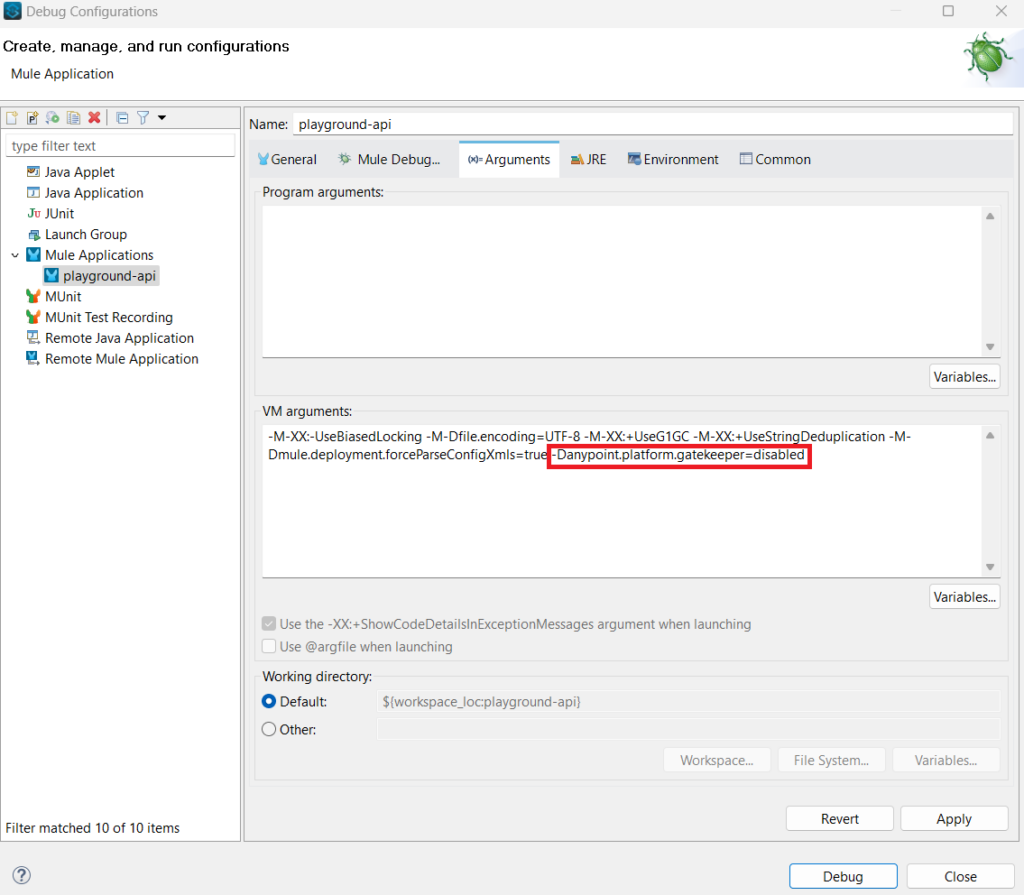
Click the “Apply” button.
(Optional) Then make sure to Go back to the “General” tab, scroll down and select the “Always” tab in the “Clear Application Data” box. Having this option selected it will prevent headaches in the future (See why? ).
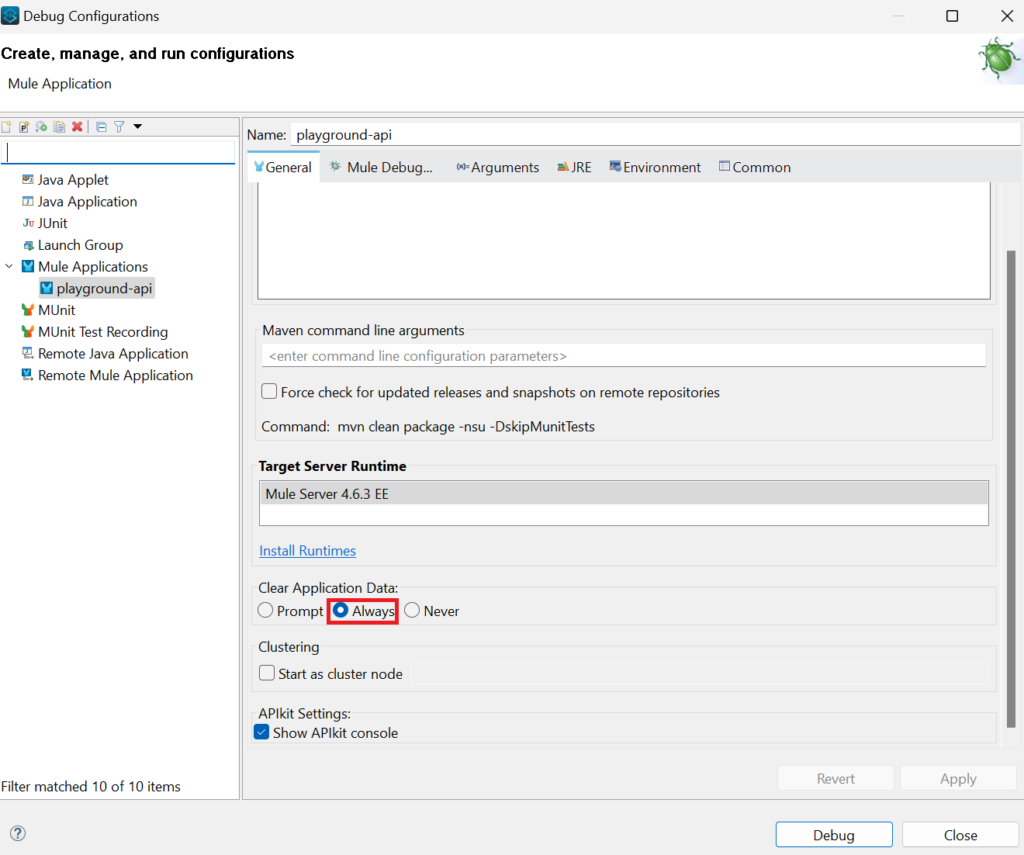
Click the “Debug” button and you will see your expected response when you make your API call again 😊
Things to keep in mind:
- This issue only happens when you add API discovery to your API.
That’s it! Hope that helps!
Mulesoft Rocks!!